Owner Salary
Owners of companies can set themselves a salary to receive automatic monthly payments that reflect their company’s profitability. Owners cannot hold regular roster entries with their own companies.
Instead of managing roster entries, owners must configure a salary percentage that is linked directly to company profit. At the start of each month, the system reviews the previous month’s financial performance. If the company made a profit, the owner receives their chosen percentage of that profit as a payment into their personal account. If the company broke even or made a loss, no payment is made.
On the 1st of each month at 05:00 UTC, the system automatically processes payments. It calculates company profit by examining all job income and expenses for the previous calendar month. Income includes things like job completions and service fees, while expenses cover costs such as fuel, maintenance, and loan repayments. The result is the company’s net profit. If this figure is positive, the configured percentage is applied, and the resulting payment is transferred to the owner’s personal account.
Setting Owner Salary
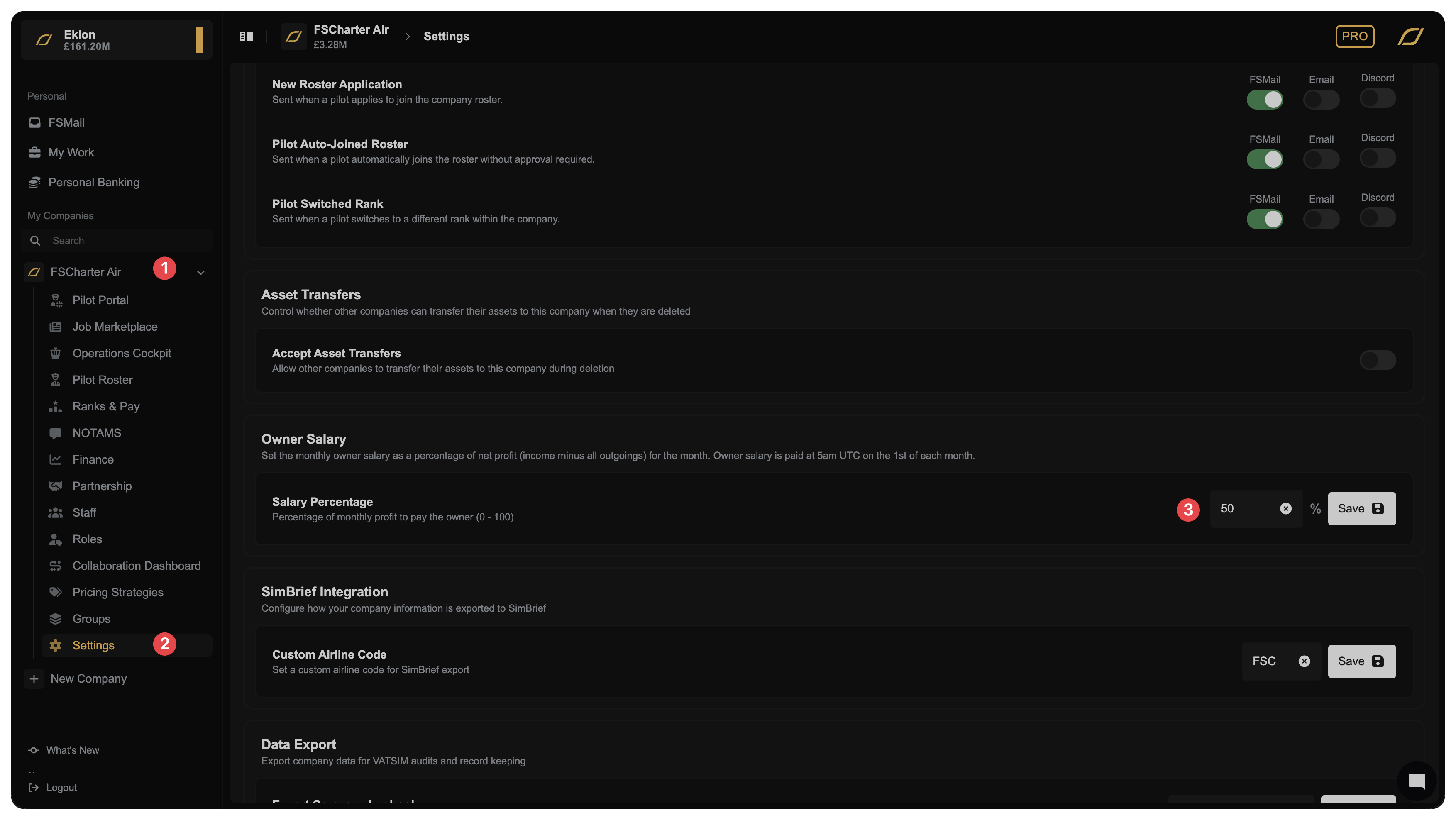
To configure the owner's salary, first select the company in the sidebar 1 and then click Settings 2. From here, scroll down until you see the Owner Salary section 3.